



About Health IT Research and Analysis
Health IT Research and Analysis is an official site for the Assistant Secretary for Technology Policy/Office of the National Coordinator for Health Information Technology (ASTP/ONC), a division of the U.S. Department of Health and Human Services. This site provides access to numerous web and information products that explore, visualize, and analyze health IT data.
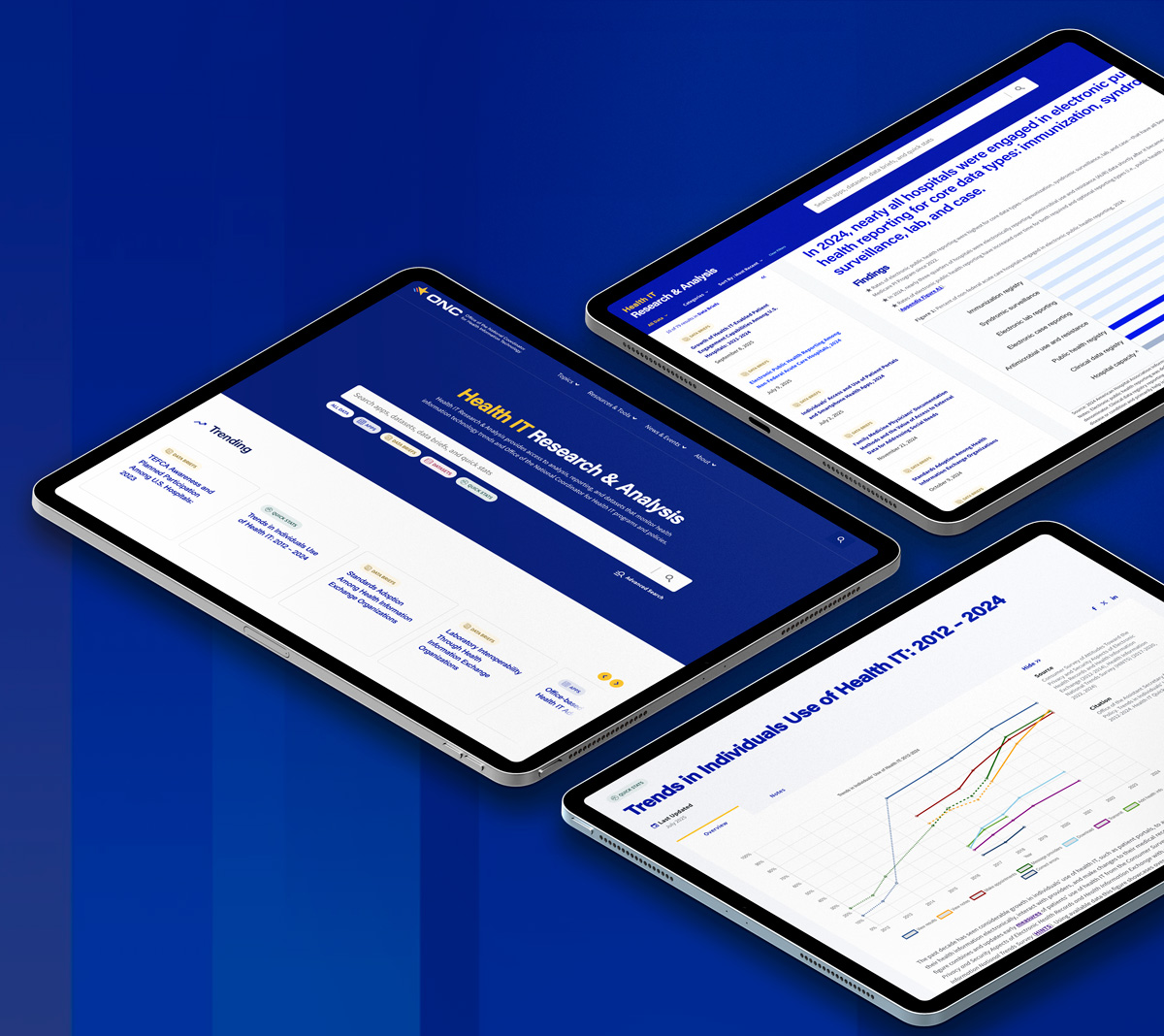
Understanding ASTP/ONC Health IT Research and Analysis
Health IT Dashboards
These dashboards visualize data derived from ASTP/ONC programs, research, and ASTP/ONC’s open government data and data collection. Each dashboard is interactive, providing the user several ways to parse and examine the data visually.
Health IT Quick Stats
Quick stats are concise expressions of data, presenting evidence, findings, and basic statistics on health IT and related health policy topics derived from ASTP/ONC programs, research, and data.
Health IT Data Briefs
A data brief is a short report on a single topic or set of metrics about the current state and overall progress of health IT implementation and interoperability in the US. ASTP/ONC publishes analysis and research to assess the implementation of ASTP/ONC programs and the overall progress of the nation in transforming health care through the adoption and use of health IT. Check out ASTP/ONC Health IT Data Briefs.
Health IT Datasets
ASTP/ONC provides broad access to program data, such as through the Certified Health IT Product List (CHPL). It also makes available other data derived from ASTP/ONC-funded surveys, research, and linkages with other HHS and federal datasets. You can access those datasets via the data page. Each dataset includes detailed documentation and are available in machine-readable formats.
Understanding Survey Data Collection
Health IT Research and Analysis includes reports, stats, and datasets derived from ASTP/ONC-funded data collection. Some data, like that collected through the Health IT Certification Program is available through the Certified Health IT Product List (CHPL). In addition to ASTP/ONC program data, ASTP/ONC also funds and partners on numerous surveys of hospitals, physicians, health information networks, technology companies, and individual Americans, just like you. Much of the research and analysis available via /data are derived from these foundational data sources that provide official statistics and data points about the state of health IT implementation and interoperability in the US. See below for more information about each of these data sources.
American Hospital Association Information Technology Supplement
The Information Technology (IT) Supplement is an annual supplement to the American Hospital Association’s (AHA) Annual Survey of Hospitals. Since 2008, AHA and ASTP/ONC have partnered on this survey to deliver foundational data and insights on the adoption and use of health IT across US hospitals.
Click the link below to the AHA’s official website for more information about the survey, including current and past copies of the survey, access to the complete data, and more.

Health Information National Trends Survey
The Health Information National Trends Survey (HINTS) is fielded every two years by the National Cancer Institute (NCI) to a nationally representative sample of individual American adults, 18 years or older. NCI partners with ASTP/ONC on HINTS, and ASTP/ONC serves as “content champion” for the Medical Records section and other survey questions related to how Americans use technology to access and manage their health care.
Click the link below to NCI’s official HINTS website for more information about the survey, including current and past copies of the survey, access to the complete data, and more.
National Electronic Health Records Survey
The National Electronic Health Records Survey (NEHRS) is fielded by the National Center for Health Statistics (NCHS) in partnership with ASTP/ONC to track the adoption and use of health IT among US outpatient physicians.
Click the link below to NCHS’s official NEHRS website for more information about the survey, including current and past copies of the survey, access to the complete data, and more.
Health Information Organization Survey
The Health Information Organization (HIO) survey is a national survey of health information networks that enable networked exchange at the regional, state, and local level. ASTP/ONC funded the survey beginning in 2019 in partnership with the University of California at San Francisco and Civitas Networks for Health.
Copies of surveys, below:
Digital Health Companies Survey
The National Survey on Progress and Challenges with APIs: Perspectives from Digital Health Companies or “Digital Health Companies” survey is a national survey of digital health companies that tracks their experience connecting and integrating technology with electronic health record (EHR) vendors. This ASTP/ONC-funded survey follows work funded by the California Health Care Foundation in partnership with ASTP/ONC.
SAMHSA Health IT Supplement
The Substance Abuse and Mental Health Services Administration (SAMHSA) annually fields the National Substance Use and Mental Health Services Survey (N-SUMHSS) to track the services and characteristics of all known substance use and mental health treatment facilities in the US and its territories. The Health IT Supplement, first fielded with the 2024 fielding of N-SUMHSS, tracks these facilities’ adoption and use of health IT, as well as their use of the technology to electronically exchange health information.
Click the link below to SAMHSA’s official N-SUMHSS website for more information about the survey, including current and past copies of the survey, access to the complete data, and more.
Frequently Asked Questions
Please read the frequently asked questions (FAQs) and advice below to find out more about how to search the website for specific data and/or analyses, use the Health IT Data’s web-based tools, or how to contact the ASTP/ONC with any technical or other questions and/or issues.
Several of the dashboards are developed and deployed through Shiny by R. R is an open source statistical software. Check out the Shiny GitHub repository for documentation and more information.
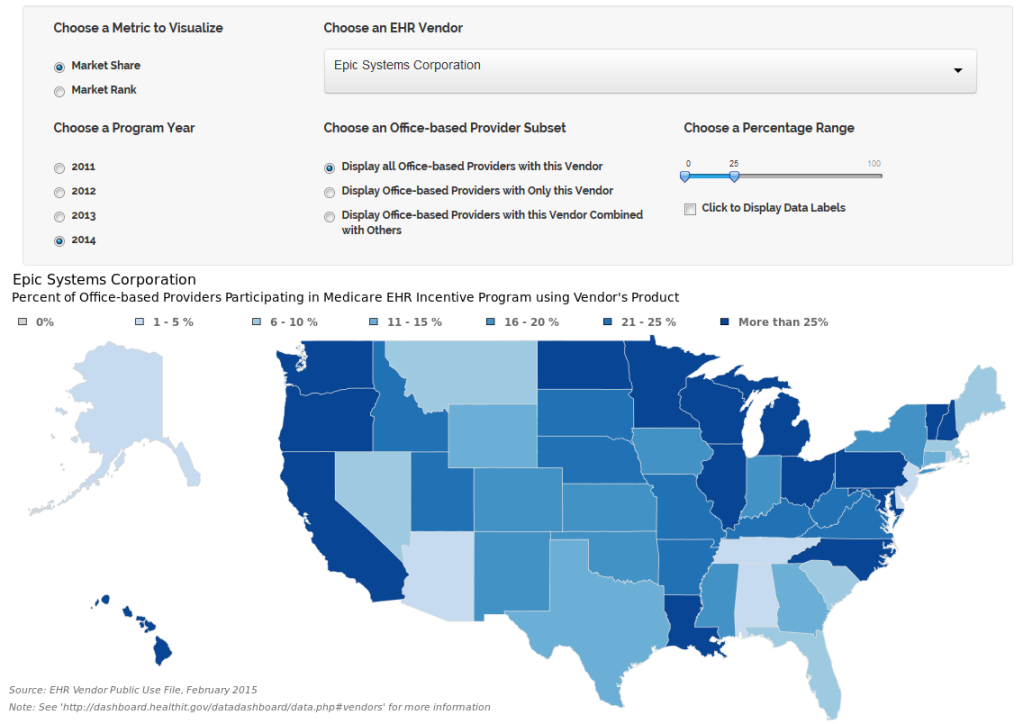
Each dashboard renders in an iframe directly in the web page. The dashboard user-interface (UI) provides you several options to sort the data to create a unique graphic, map, or chart. These UIs may include buttons, drop-downs, toggles, or check-boxes.
Shiny uses JavaScript to render the UI. If you are experiencing problems using (or even loading) the UI, your browser may have JavaScript disabled. See your browsers tools and troubleshooting to see if JavaScript is disabled, or try using an alternate browser, if one is available. At any time, if you ever experience any difficulty using the UI, please contact, Data@hhs.gov, with your question, and we will be glad to help.
Each dashboard renders an image directly in the browser, or in some cases an interactive graphic drawn with JavaScript, allowing the user to save the image as a file. The rendered graphic is unique to the exact options chosen in the UI, and will re-render upon each change you make to the UI.
The Health IT Quick Stats are concise expressions of data, presenting evidence, findings, and basic statistics on health IT and related health policy topics. Many of the Quick Stats are interactive, allowing you to click, hover, and touch the graphics to find out exact data points or other information embedded in the graphics. Almost all of these interactions are enabled by JavaScript.
If you believe a specific Quick Stat page’s content is not loading properly, i.e. no graphic renders on the page, you may have JavaScript disabled on your browser.
Though this is uncommon, it’s not impossible. See your browsers tools and troubleshooting to see if JavaScript is disabled, or try using an alternate browser, if one is available. At any time, if you ever experience any difficulty using the UI, please contact, Data@hhs.gov, with your question, and we will be glad to help.
If the primary graphic is drawn with JavaScript, the page is programmed to render an image file, if JavaScript is disabled. To access the full potential of each Quick Stat, be sure and enable JavaScript on your web browser.
Almost all maps, charts, and tables can be easily saved, copied, or printed. The maps and graphics rendered in the dashboards can be saved by right-clicking the image. The Quick Stat graphics and charts can be saved in the same way, even the graphics rendered by JavaScript.
Many of the data tables are coded in html, so you can highlight the table and save it in a text editor. You can also print any web page on the site. Simply go to your browser menu and select ‘Print’. A specially formatted page will then print, which includes images, text, and pertinent links for the page.
Always be sure to cite the specific Health IT Data page, if you ever re-use a graphic or image downloaded from the site. Citation documentation can be found on each Data and quick stat page. If you need further information for a citation, please contact, Data@hhs.gov.
The data page includes all the open data sets provided through the Health IT Data. All files are available in CSV format, and many are available in JSON and/or XML format as well. Each file can be directly downloaded from the data page. However, if you have problems downloading a specific file, please contact, Data@hhs.gov with your issue, and we will be glad to help.
Also, if you have problems interpreting the data, or the provided data documentation is unclear please contact us, so we can provide all the information you need to use the data.
Also, we constantly work to provide access to all the data we use for our visualizations and analyses. Some data, however, remains trapped in tables or in graphics. If you need access to specific that is not accessible through the data page, please let us know.
If you would like to request that particular information is added to Health IT Data, please send your request to Data@hhs.gov.
In your e-mail subject line, include the phrase “Health IT Data.” In the body of your e-mail, include enough information that a responder can reasonably understand your proposal and contact you in return if an opportunity to add said data to the Health IT Data arises.
If you identify any information in this site that you know or suspect may be incorrect, please send an e-mail detailing the suspected error to Data@hhs.gov.
In your e-mail subject line, include the phrase “Health IT Data.” In the body of your e-mail, please describe the location and type of error you suspect in detail. In addition, please be certain to include enough information so that a responder can contact you in the event that there are questions.
If you would like to request that particular information is added to Health IT Data, please send your request to Data@hhs.gov.
In your e-mail subject line, include the phrase “Health IT Data.” In the body of your e-mail, include enough information that a responder can reasonably understand your proposal and contact you in return if an opportunity to add said data to the Health IT Data arises.
Site Administration
Contact the web site administrator to report website errors, inaccurate information, or other items of concern at ASTP_Data@HHS.gov