



Patient Access Information for Individuals: Get it, Check it, Use it!
Easy access to your health records puts you in control of decisions regarding your health and well-being. You can monitor your health conditions better, understand and stay on track with treatment plans, and find and fix errors in your record. The resources and videos below will help you understand your rights under the Health Insurance Portability and Accountability Act (HIPAA) and will show you how to work with your providers to get, check, and use your health information.

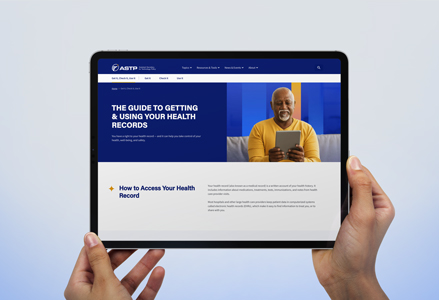
Your Guide to Getting and Using Health Records
Your health records hold important information about doctor’s visits, tests, treatments, and more. This guide will teach you how to request a copy of your records, find and fix mistakes, and manage your information.
Get It, Check It, Use It
Patient Access Videos
You have the right to see your health records, get a copy of the information, and have it sent to a specialist or other third party you choose. Watch these short videos to learn more about your health records and your rights.
Your Rights
This video introduces your rights under the HIPAA Privacy Rule. Watch to learn about the information in your electronic health record (EHR) and how you can get it, share it with others, and use it to take charge of your health. (3:27)

Fees & Timing
Meet Hannah. Before moving across the country, Hannah meets with her doctor to ask for a copy of her records. Watch this video to learn about associated fees, forms, and the time it may take for Hannah to get a copy of her records. (5:14)
Third Parties
Martin would like to share the health information in his EHR with a heart health application on his smartphone. Watch this video to find out more about the right to get access to your information using a third party, including an application on your mobile phone. (3:16)
Resources
Easy access to your health records puts you in control of decisions regarding your health and well-being. You can monitor your health conditions better, understand and stay on track with treatment plans, and find and fix errors in your record. The resources and videos below will help you understand your rights under the Health Insurance Portability and Accountability Act (HIPAA) and will show you how to work with your providers to get, check, and use your health information.

Your Rights
Get it. Check it. Use it. This infographic explains your health information rights, how to share your health information, and how to protect it.
RESOURCES
Health Information Privacy: Understanding HIPAA
Learn more about your important rights under HIPAA and how your health information must be kept private and secure.
RESOURCES
Protect Your Health Information
Find out how to protect the health information that you control, such as information on your computer or mobile device, or information you share in email or online.
RESOURCES
Keep Your Health Information Secure
There are a number of ways you can help protect your electronic health information. Follow these tips to ensure your personal health information is always private and secure.
RESOURCES
Information is Powerful Medicine
Having access to your health information is a powerful tool for staying healthy. Learn from the Office for Civil Rights how to Get it. Check it. Use it.
RESOURCES

Blue Button
The Blue Button symbol signifies that a site has functionality for customers to download health records. Look for the Blue Button symbol and take action using your personal health information.
RESOURCES
This guidance remains in effect only to the extent that it is consistent with the court’s order in Ciox Health, LLC v. Azar, No. 18-cv-0040 (D.D.C. January 23, 2020). Read more information about the order. Any provision within this guidance that has been vacated by the Ciox Health decision is rescinded.